BALLET STUDY & CLASS JOURNAL · FOR IPHONE
A quiet companion
for your ballet practice.
Explore ballet movements through illustrated lessons. Keep your notes and class memories in one place.
Coming soon on the App Store
A look inside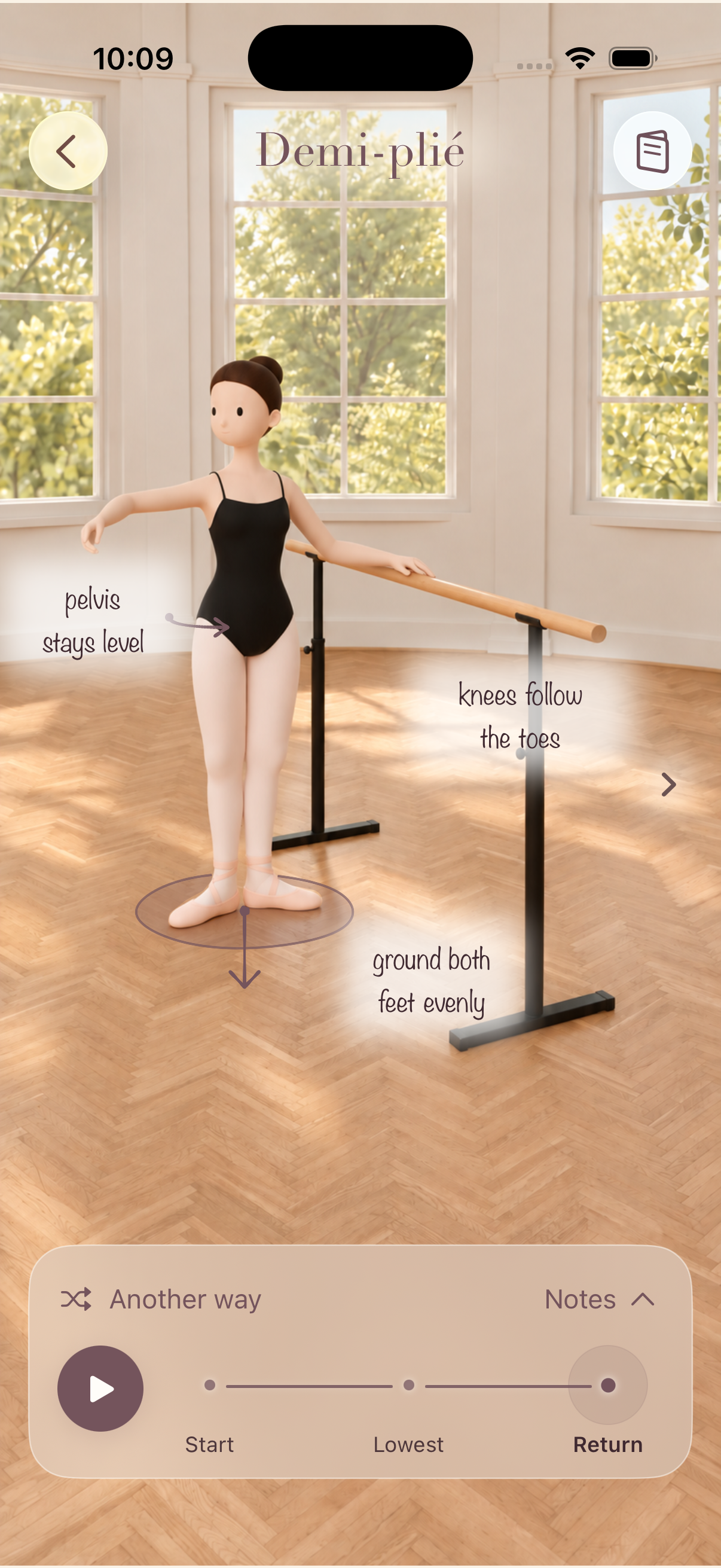
01 / LEARN
Little details.
A clearer understanding.
From your first positions to pliés, tendus and fondus, explore movements with illustrated scenes and short teaching cues.
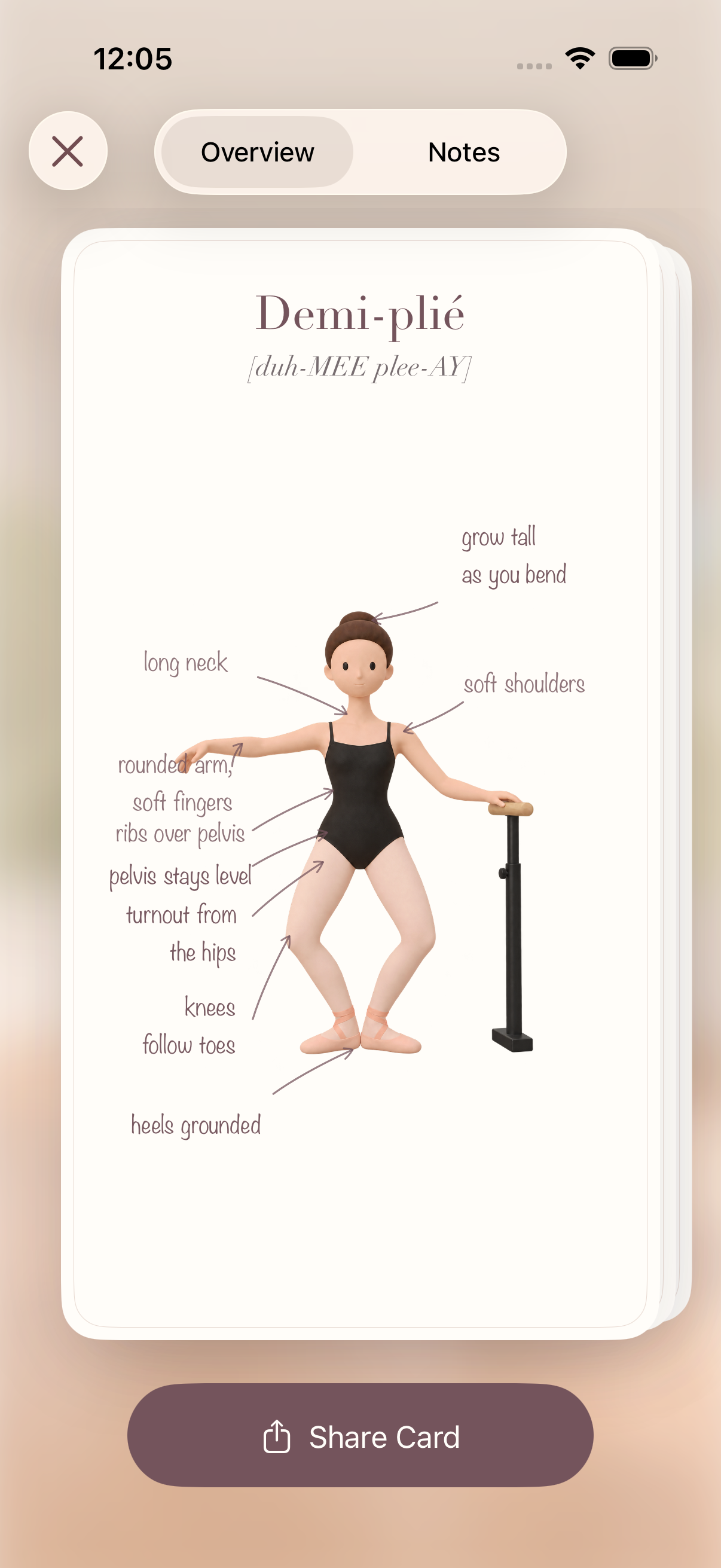
Return to an overview card, read the technique notes, and add the reminders you want to take into your next class.
A companion to your lessons, alongside the guidance of your teacher.
02 / JOURNAL
Every class is
part of your story.
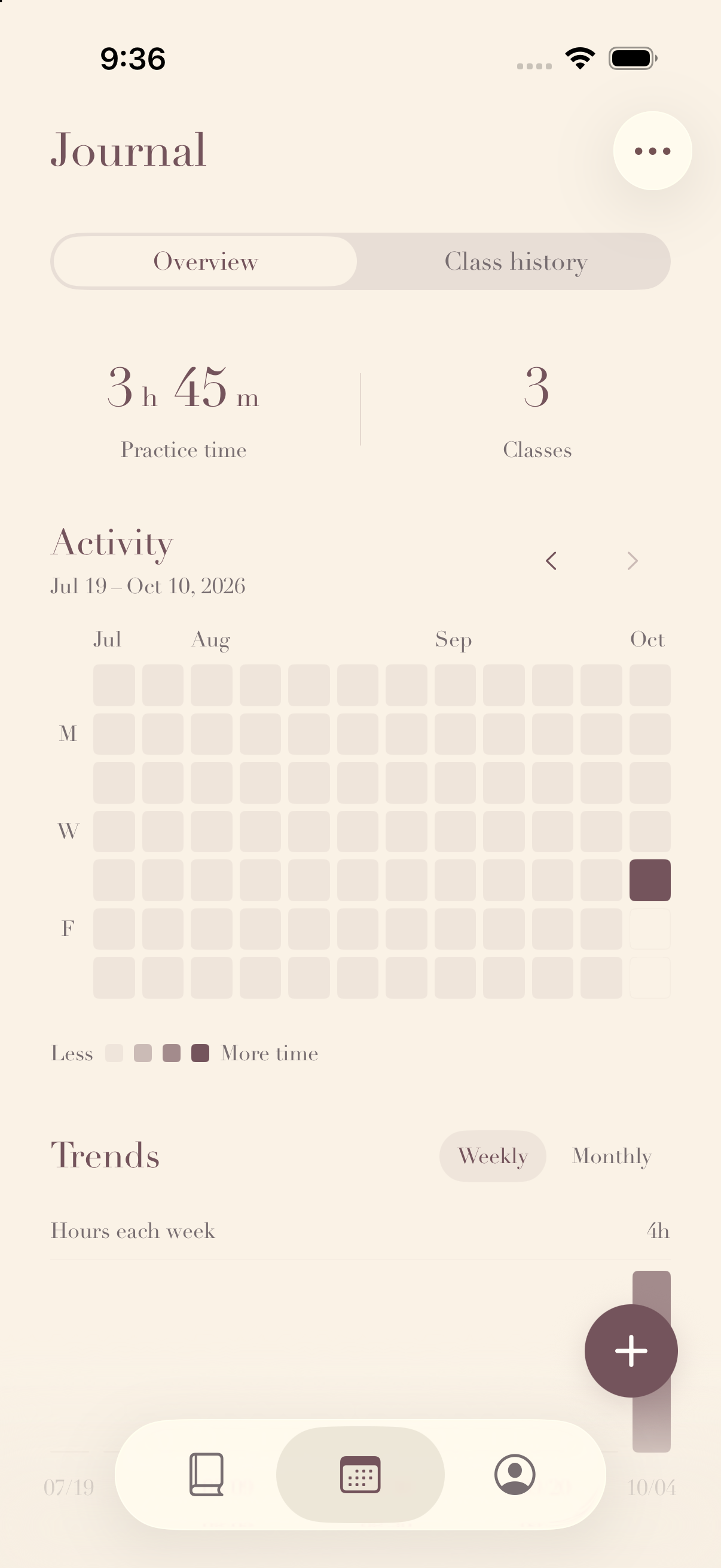
Record your classes, add a photo, and keep the small things you want to remember. Look back through your class history and see the time you have spent dancing.
Your classes, photos and notes are saved on your device. No account is needed, and there is no cloud sync.
How your information is handledHERE TO HELP
A few useful answers.
Need a hand, or have something to share?
xiaofei.hong@outlook.com
For technical issues, include your iPhone model, iOS version, app version and what happened. Remove private information from any screenshots you send.
How do I record a class?
Open Journal and tap the + button. Add the class date, duration and an optional photo. You can find your saved entries in Class history.
Are my photos uploaded?
No. You choose which images to import using Apple's system photo picker. Photos and calendar cutouts are processed on your device, without uploading them to our servers or third-party AI services. If no person is detected, the calendar may show a regular thumbnail.
Will my notes sync to another phone?
Petit Studio does not provide cloud sync. Your notes, photos and class records are stored locally. Device backups are managed by Apple; do not assume your records will automatically appear on another device.
Does deleting a class photo delete the original?
No. Removing an imported photo from Petit Studio does not remove the original from your iPhone photo library. You can also remove notes and class records in the app.
What happens when I share an image?
You choose where to send it using the iOS share sheet. Shared images are copies: deleting an entry in Petit Studio does not delete copies you have already sent elsewhere. Check the preview before sharing.
Can Petit Studio replace a ballet teacher?
No. Petit Studio is designed for adult ballet study and reflection alongside your teacher's guidance. It does not assess your technique or provide personalized training advice.